How to Protect Your Personal Data Online
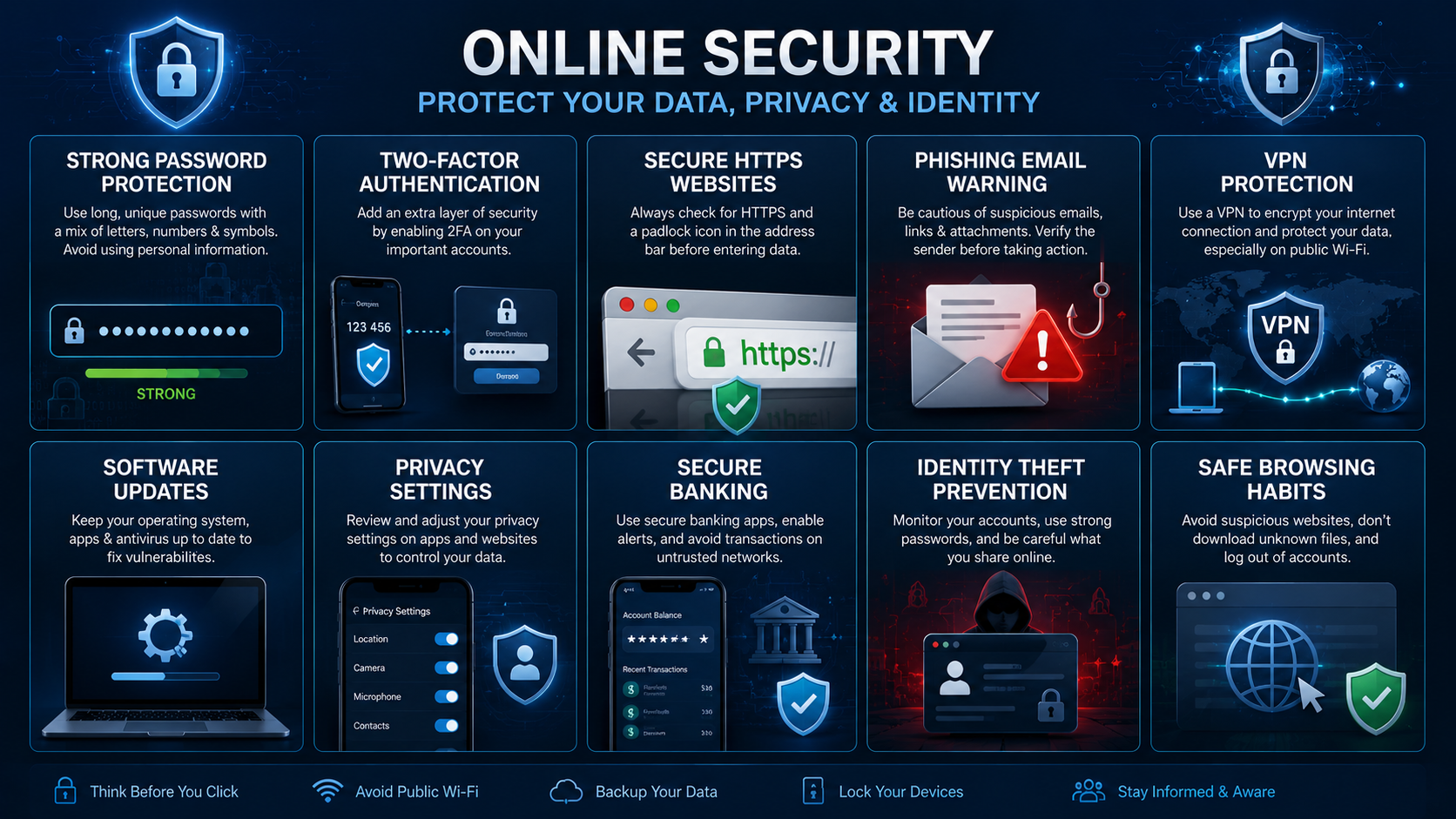
The internet has become an essential part of everyday life. People use online services for banking, shopping, communication, education, and entertainment. While these activities offer convenience, they also expose users to various security risks. Cybercriminals constantly seek ways to steal personal information, financial details, and account credentials.
Understanding how to protect your personal data online is more important than ever. Whether you are browsing social media, shopping online, or managing business accounts, taking proactive security measures can significantly reduce your risk of becoming a victim of cybercrime.
This guide explains practical steps you can take to safeguard your personal information and improve your online privacy in 2026.
Why Personal Data Protection Matters
Personal data includes information that can identify you directly or indirectly.
Examples include:
- Full name
- Email address
- Phone number
- Home address
- Financial information
- Government identification numbers
- Login credentials
Cybercriminals often target this information for identity theft, fraud, and financial crimes.
Furthermore, data breaches continue to affect millions of users worldwide. As a result, learning how to protect your personal data online has become a necessity rather than an option.
Use Strong and Unique Passwords
One of the simplest ways to improve online security is by creating strong passwords.
Many users still rely on weak passwords such as:
- 123456
- password
- qwerty
- birthdays
- simple names
These passwords can be cracked quickly.
Instead, create passwords that include:
- Uppercase letters
- Lowercase letters
- Numbers
- Special characters
Additionally, avoid using the same password across multiple accounts.
If one account becomes compromised, unique passwords help prevent attackers from accessing your other accounts.
Enable Two-Factor Authentication
Two-factor authentication (2FA) adds an additional layer of security.
When enabled, users must provide:
- Their password.
- A second verification method.
Common verification methods include:
- Authentication apps
- Security keys
- One-time codes
- Biometric verification
Consequently, even if a cybercriminal steals your password, accessing the account becomes significantly more difficult.
Be Careful with Public Wi-Fi
Public Wi-Fi networks are convenient but often lack proper security.
Cybercriminals may exploit unsecured networks to intercept data transmissions.
Therefore, avoid performing sensitive activities such as:
- Online banking
- Financial transactions
- Business communications
while connected to public Wi-Fi.
Furthermore, using a trusted Virtual Private Network (VPN) can help encrypt your internet traffic and improve privacy.
Watch Out for Phishing Scams
Phishing remains one of the most common cyber threats.
Attackers create fake emails, websites, and messages that appear legitimate.
Their goal is to trick users into revealing:
- Passwords
- Credit card details
- Personal information
- Login credentials
To avoid phishing attacks:
- Verify sender addresses.
- Avoid suspicious links.
- Check website URLs carefully.
- Never share sensitive information through email.
As a result, you can significantly reduce the risk of credential theft.
Keep Software Updated
Software updates often contain important security patches.
Unfortunately, many users delay updates or ignore them completely.
Cybercriminals frequently target outdated software because known vulnerabilities are easier to exploit.
Therefore, regularly update:
- Operating systems
- Web browsers
- Mobile apps
- Antivirus software
- Security tools
Keeping software current helps close security gaps before attackers can take advantage of them.
Limit Information Shared on Social Media
Social media platforms encourage users to share personal details.
However, excessive sharing can increase privacy risks.
Avoid publicly posting:
- Home addresses
- Phone numbers
- Travel plans
- Financial information
- Personal documents
Moreover, cybercriminals often use publicly available information for social engineering attacks.
Adjusting privacy settings can help control who sees your content.
Review App Permissions
Many mobile apps request access to information that may not be necessary.
For example, some apps request:
- Location access
- Contacts
- Camera permissions
- Microphone access
Before granting permissions, consider whether they are truly required.
Furthermore, regularly review app permissions and revoke unnecessary access.
This simple step can help protect sensitive personal information.
Use Secure Websites
When entering personal information online, always verify that the website is secure.
Look for:
- HTTPS in the URL
- A padlock icon
- Trusted domain names
These indicators suggest that the connection is encrypted.
However, users should still remain cautious because some malicious websites may also use HTTPS.
Therefore, always verify the legitimacy of the website itself.
Monitor Financial Accounts
Regular monitoring helps identify suspicious activity early.
Review:
- Bank statements
- Credit card transactions
- Payment app activity
- Online shopping accounts
If unauthorized transactions appear, report them immediately.
Consequently, faster reporting often limits financial losses and reduces fraud risks.
Protect Your Email Account
Your email account serves as the gateway to many online services.
If attackers gain access to your email, they may reset passwords for other accounts.
To improve email security:
- Use a strong password.
- Enable two-factor authentication.
- Monitor login activity.
- Avoid suspicious attachments.
Because email accounts contain sensitive information, protecting them should be a top priority.
Use Reliable Security Software
Modern security software provides valuable protection against:
- Malware
- Ransomware
- Spyware
- Phishing attacks
Furthermore, many security tools offer real-time monitoring and threat detection.
While no solution guarantees complete protection, reputable security software significantly improves online safety.
Be Cautious with Downloads
Downloading files from unknown sources can expose your device to malware.
Before downloading any file:
- Verify the source.
- Scan files when possible.
- Avoid pirated software.
- Download only from trusted websites.
Consequently, users can reduce the risk of infections and data theft.
Understand Data Breaches
Even well-known companies can experience data breaches.
If a service you use suffers a breach:
- Change affected passwords immediately.
- Enable two-factor authentication.
- Monitor account activity.
- Watch for suspicious communications.
Quick action helps minimize potential damage.
Common Mistakes That Put Data at Risk
Many security incidents occur because of avoidable mistakes.
Common examples include:
- Reusing passwords
- Ignoring updates
- Clicking suspicious links
- Oversharing online
- Using unsecured networks
Fortunately, awareness and good security habits can prevent many of these problems.
Benefits of Protecting Your Personal Data
Learning how to protect your personal data online offers several important advantages.
These include:
Better Privacy
You maintain greater control over personal information.
Reduced Fraud Risk
Strong security practices help prevent financial crimes.
Improved Account Security
Protected accounts are harder for attackers to compromise.
Greater Peace of Mind
Knowing your information is secure reduces stress and uncertainty.
Therefore, investing time in cybersecurity practices delivers long-term benefits.
Frequently Asked Questions
Why is protecting personal data online important?
Protecting personal data helps prevent identity theft, financial fraud, account compromise, and privacy violations.
What is the best way to secure online accounts?
Using strong passwords and enabling two-factor authentication provides strong account protection.
How can I identify phishing emails?
Check sender addresses, avoid suspicious links, and verify requests for sensitive information.
Is public Wi-Fi safe to use?
Public Wi-Fi can be risky. Avoid sensitive transactions or use a VPN for additional protection.
How often should I change passwords?
Update passwords immediately if an account is compromised and review password security regularly.
Cybersecurity Safety Tips from CISA